01 / MODEL
A model fitted to the work.
Draft, compare, and summarize with the model installed on your Node. Image, audio, and other capabilities depend on the hardware and model selected during consultation.
 SPLAYSCHEDULE A CALL
 SplayOS / Included with your Node
Work with your model and files through a browser on your own network. SplayOS runs on the hardware you own, with staff access configured for your organization.
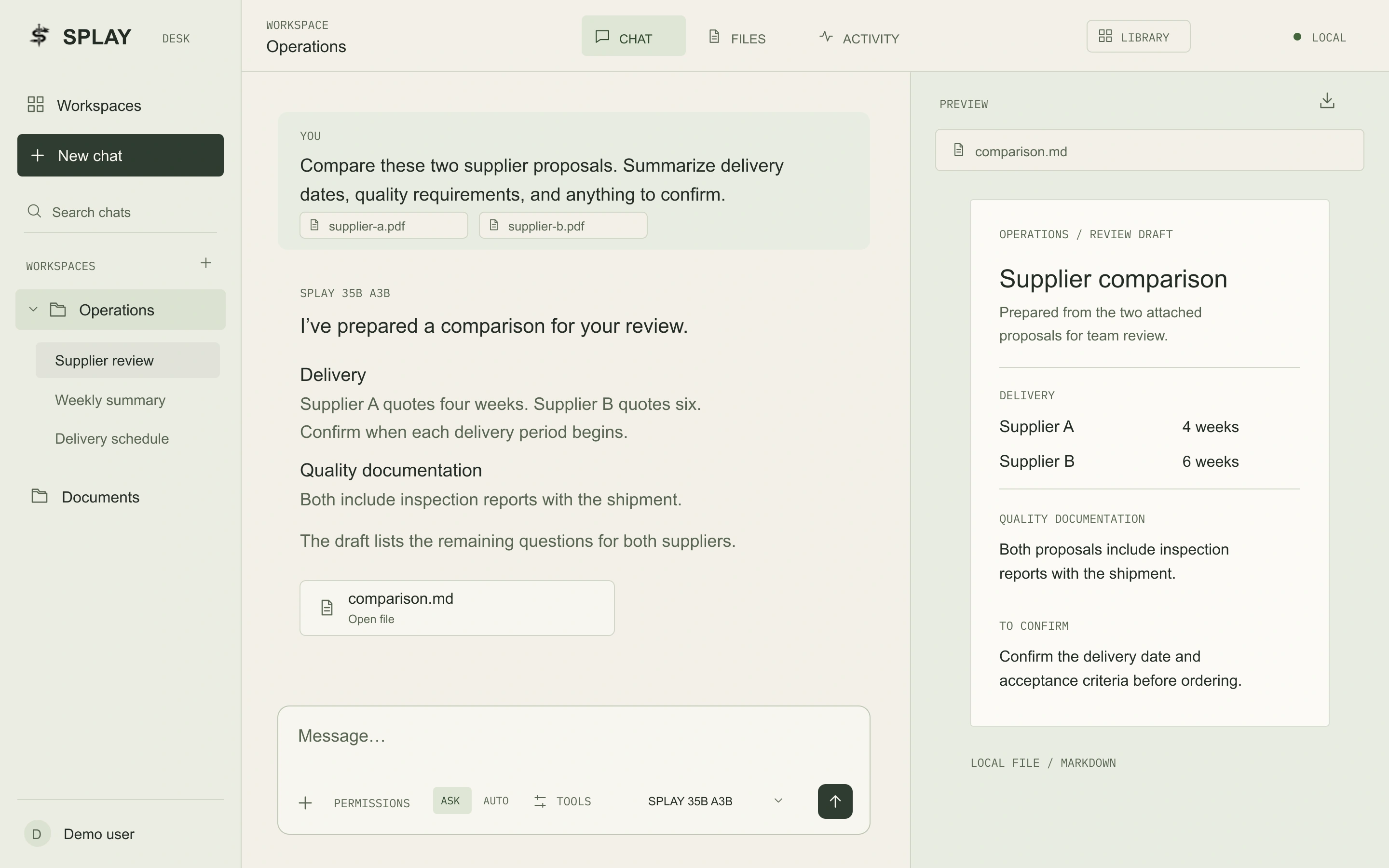
Daily work
Splay installs and validates the software with your selected hardware. The configuration follows the work you need it to do.
01 / MODEL
Draft, compare, and summarize with the model installed on your Node. Image, audio, and other capabilities depend on the hardware and model selected during consultation.
02 / FILES
Give the model the files it needs for a task without retraining it. Work with authorized documents and exports, then review the output before using it.
03 / PEOPLE
Staff sign in through a browser on your network. Splay configures accounts during installation and documents how the system is operated after handoff.
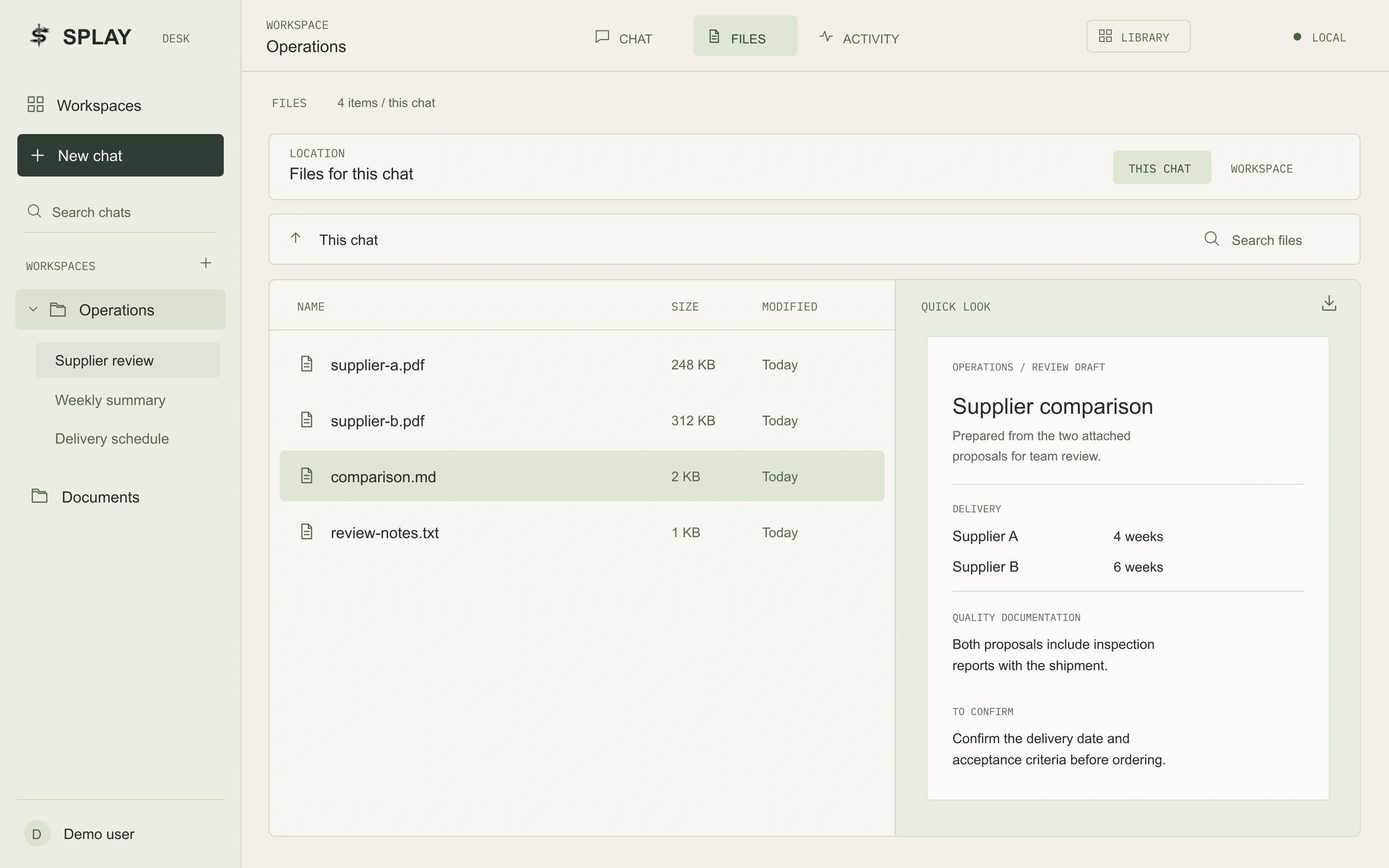
Files and previews
Browse the files for a chat, open a preview, and download the result for review. Workspace access determines which files staff can use.
Privacy and ownership
The hardware, data, and recovery copy remain with you. Access and support are agreed before installation.
Installation and handoff
Each Node includes SplayOS, a validated model, on-site installation, operating documentation, and 90 days of Launch Care. Training, staff briefings, and ongoing support can be included in your proposal.
Installation and supportAll systems are pre-order only and by consultation only. Hardware, model capabilities, services, and timing are confirmed in your proposal.
Contact
Machines and services are by consultation only. Discuss your workload, network, and preferred configuration with Splay.